
Guides
oflh compared with the alternatives
There are good tools for finding what is using a file or port. Most are tied to one operating system. Here is what each one does, based on its official documentation, and when oflh is the better or worse choice.
On this page
Windows tools
- Resource Monitor is built into Windows. Associated Handles on the CPU tab searches open files; the Network tab lists listening ports.
- Process Explorer (Sysinternals) is a detailed process viewer. Find Handle or DLL searches handles by name, and it can close a single handle.
- Handle (Sysinternals) is the command-line version: it lists processes with a matching handle open and needs administrator rights.
-ccloses a handle, which Microsoft warns can cause application or system instability. - TCPView (Sysinternals) lists TCP and UDP endpoints with their owning process.
- LockHunter is a free Windows tool that shows the processes locking a file, can unlock, delete, or rename it, kill the process, and integrates into the Explorer menu.
macOS and Linux tools
- lsof lists open files and network sockets with their processes; it is preinstalled on macOS and available on Linux.
- fuser (Linux, psmisc) names the processes using files, mount points, or ports.
- ss (Linux, iproute2) lists sockets and, with
-p, their processes.
Where oflh differs
- One app on Windows, macOS, and Linux, for files, folders, and ports, with a desktop and a terminal interface.
- Whole-drive scans: it matches what running processes hold against your target instead of walking the disk.
- Lock evidence is kept apart from “file is open”, and Windows rows that cannot prove the owner say owner unverified.
- Process ancestry shows the app behind a helper process.
- No handle force-closing: oflh closes or terminates whole processes after a confirmation, never single handles.
When another tool fits better
- You need scripts or JSON output: use
lsof,ss,handle.exe -v, or PowerShell; oflh is interactive only. - You must free a file without closing the program: Process Explorer, Handle, and LockHunter can close or unlock handles, with the risks their makers describe.
- You need established connections or remote addresses: TCPView,
ss, orlsof -ishow them; oflh's Ports view is local listeners and bound UDP sockets only.
What oflh looks like
The screenshot shows OFLH Desktop inspecting C:\ and filtering the process list by firefox. On the right, Matching handles shows the selected process's file references and Process ancestry shows its parents. This connects a file path in use to the app behind it.
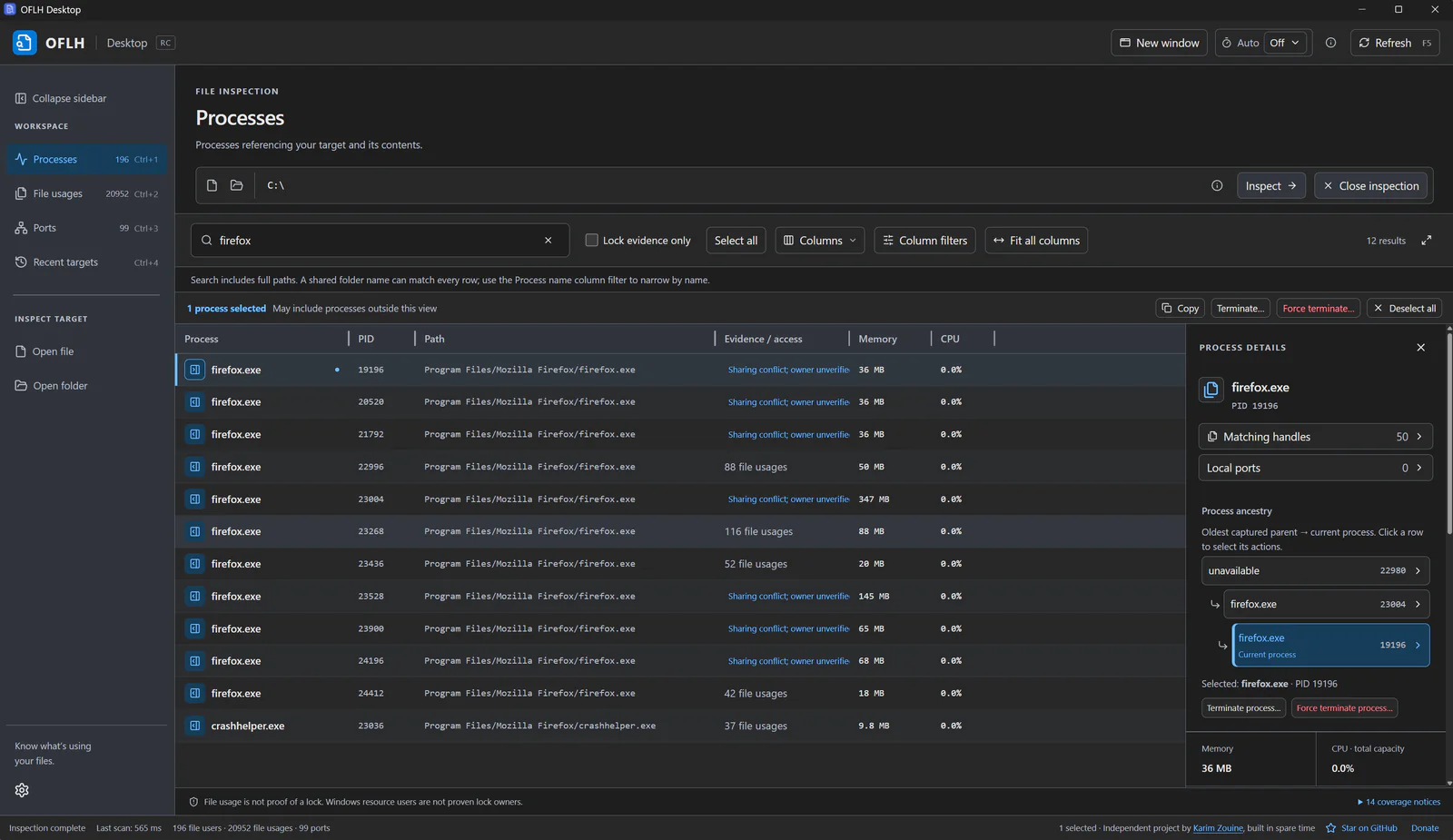
Screenshots from the project README: OFLH Desktop on Windows, in the dark theme. Select a screenshot to view it at full size.